New model LIVE:Dreamina Seedance 2.5 is now availableTry now

Free Hotel Lobby AI Filter: Turn Two Photos Into a Duo Video

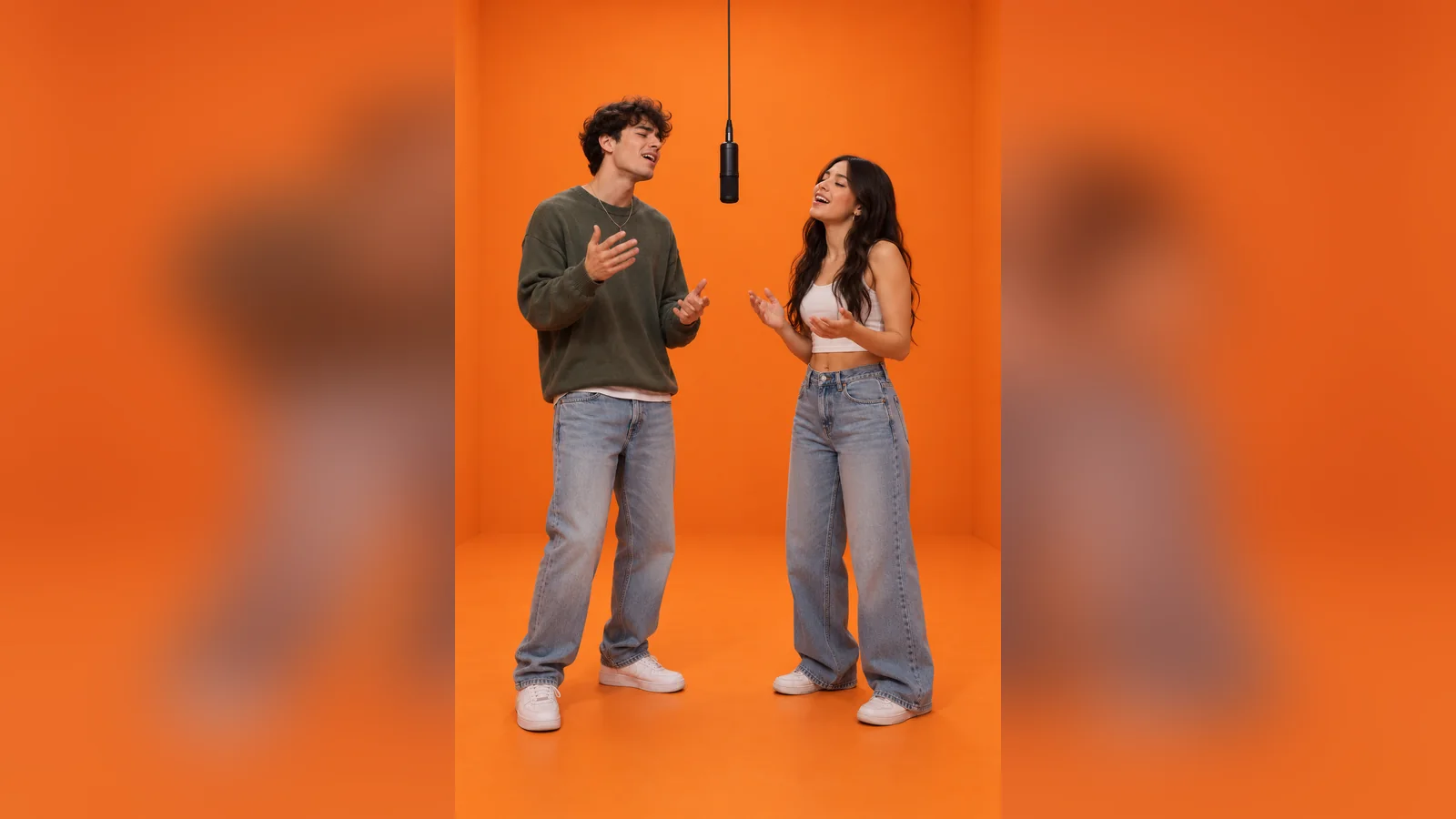
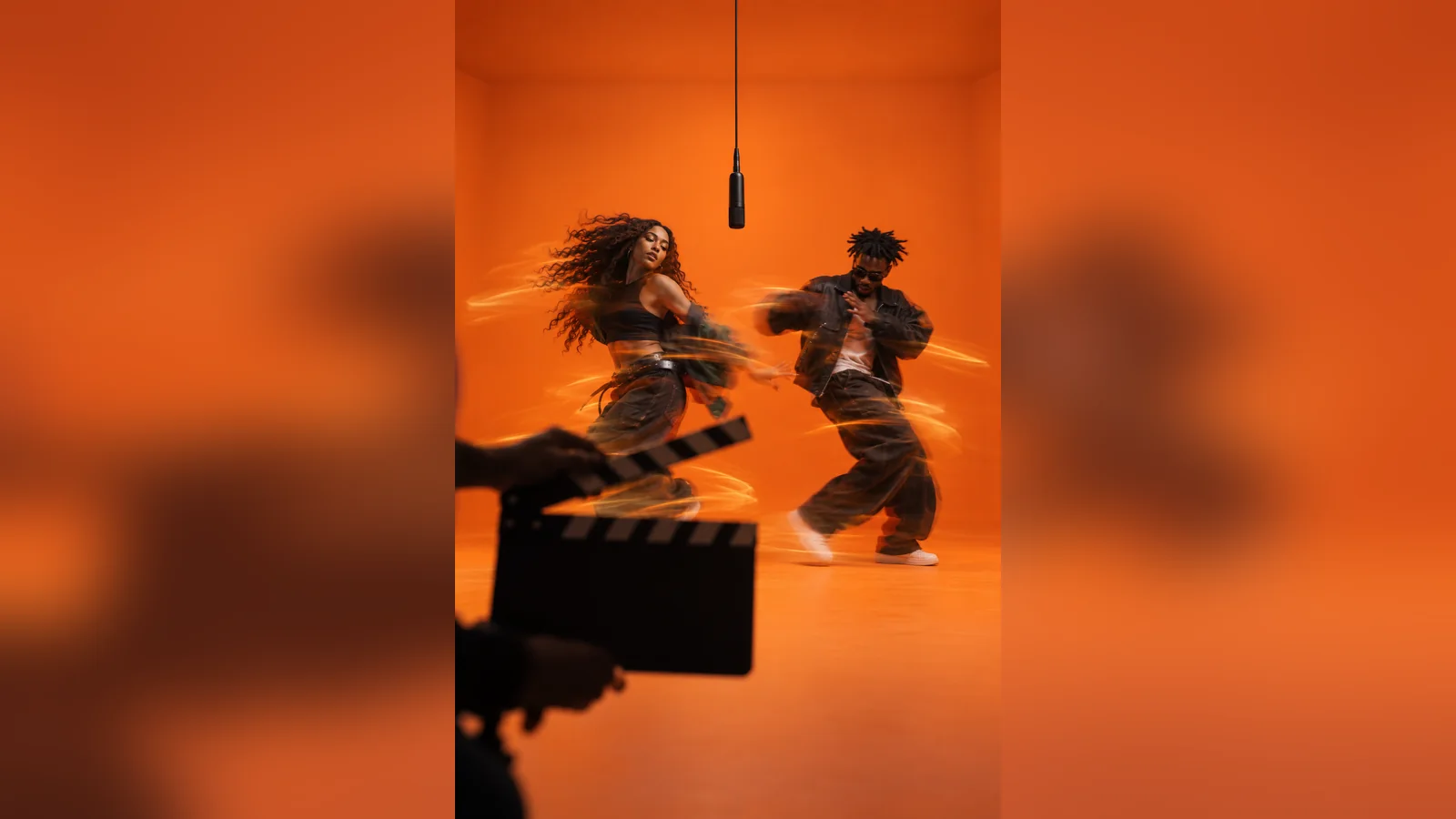
The Hotel Lobby AI filter is a fast template-style route to the viral orange-booth duet: upload two authorized photos, keep one subject on each side of a hanging microphone, and generate an alternating performance. Start with free Dreamina credits where available, then customize the cast, movement, camera, and sound instead of being locked to a single preset. Learn where the format came from in the Hotel Lobby AI video trend guide. For more detailed motion direction, open the Migos AI video generator.

Try Seedance 2.5Image to Video
Upload two photos

Turn TWO separate authorized adult portraits into a vertical 9:16 orange-booth duet. Preserve both faces and outfits. Keep Friend A full body on the LEFT and Friend B full body on the RIGHT, with one black microphone hanging at center. Friend A performs first while Friend B nods, then switch. Use a static centered camera, soft even light, visible feet, and natural restrained gestures. No face blending, side swaps, cuts, zooms, extra people, text, logos, or watermarks.
Ai VideoDreamina Seedance 2.5
Prompt Templates

Copy & Paste Hotel Lobby AI Filter Prompts

Choose the closest template direction, upload two separate references, and keep the first render simple. The prompts are designed for fixed left-right placement and a static camera.

Fast Friends Template example

Fast Friends Template

Turn TWO separate authorized adult portraits into a vertical 9:16 orange-booth duet. Preserve both faces and outfits. Keep Friend A full body on the LEFT and Friend B full body on the RIGHT, with one black microphone hanging at center. Friend A performs first while Friend B nods, then switch. Use a static centered camera, soft even light, visible feet, and natural restrained gestures. No face blending, side swaps, cuts, zooms, extra people, text, logos, or watermarks.
Pet Duo Filter example

Pet Duo Filter

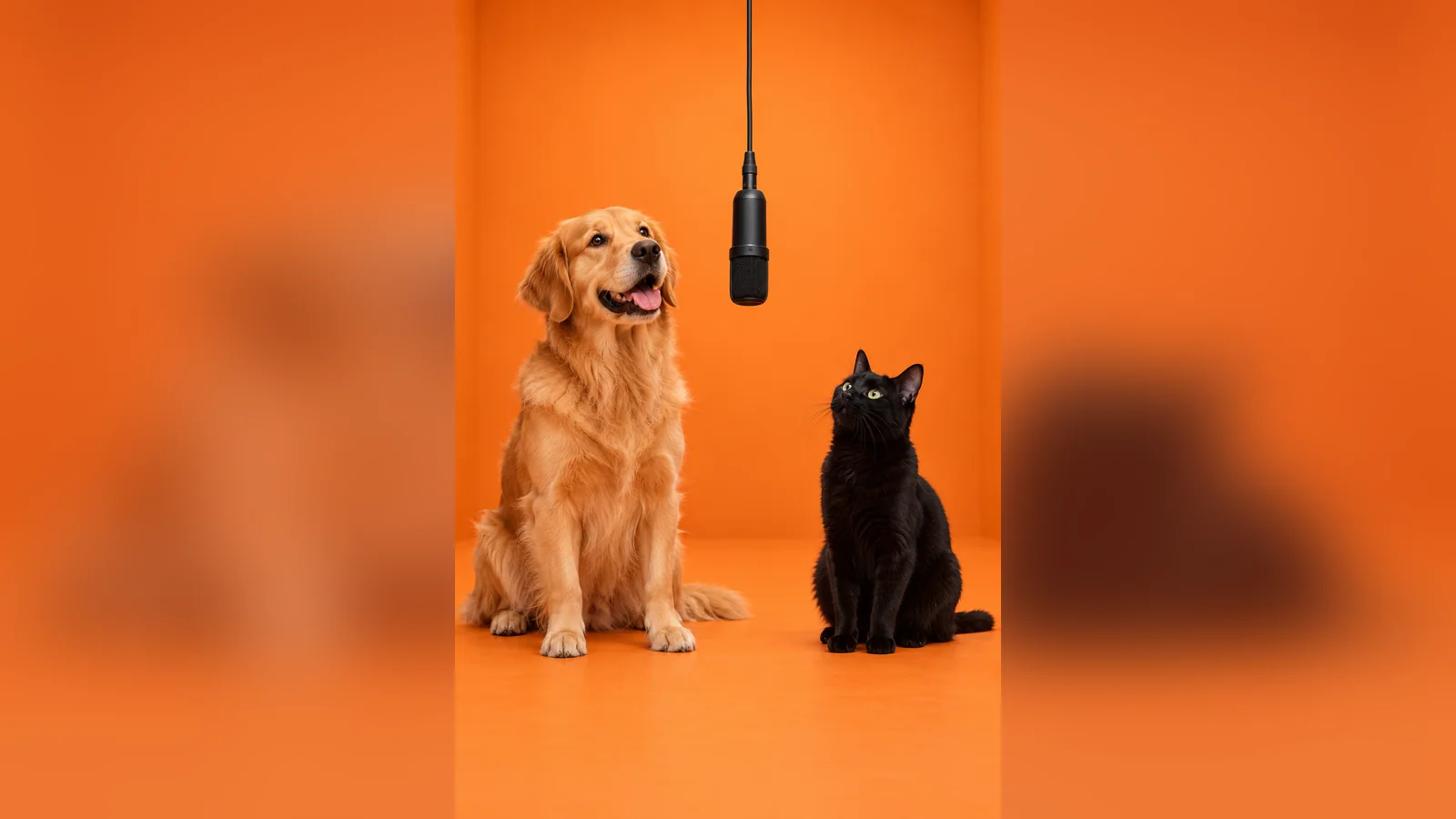
Use TWO uploaded pet photos to create a playful vertical Hotel Lobby-style performance. Preserve the first pet’s breed and markings on the LEFT and the second pet’s breed and markings on the RIGHT. Place one hanging microphone between them in a matte-orange studio. Alternate small head turns and paw gestures; keep movement independent and physically believable. Static full-body framing, stable fur patterns, visible paws and tails, no extra animals, merged limbs, text, logos, or watermarks.

Sibling Back-and-Forth example

Sibling Back-and-Forth

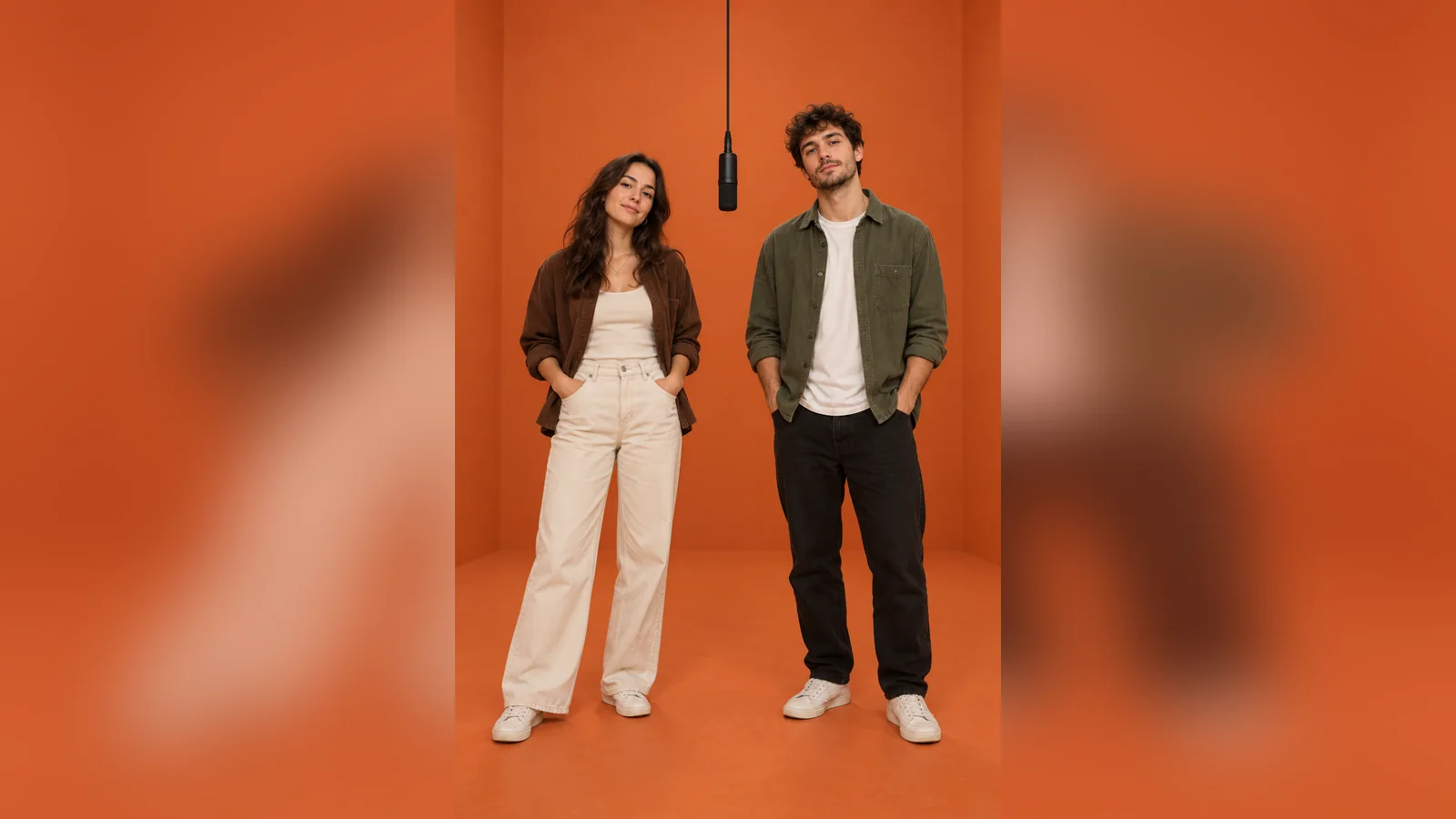
Create a 12-second vertical performance from TWO separate photos of consenting adult siblings. Keep Sibling A on the LEFT and Sibling B on the RIGHT in a clean terracotta studio with one centered hanging microphone. Let A deliver the first beat while B smiles and reacts, then B takes over as A nods. Preserve both identities, outfits, and relative height. Locked full-body camera, soft studio lighting, no synchronized motion, overlapping hands, cuts, pans, captions, brands, or watermarks.

Key features

Key Features of a Useful Hotel Lobby AI Filter

A good filter should make the recognizable setup easy to start while still giving you enough control to fix identity, movement, and framing.

Two-Photo Input for a True Duo

A single group photo gives the model less control over who belongs on each side. Upload one image per subject instead, then label the first reference LEFT and the second RIGHT. Choose clear faces, comparable lighting, and enough visible clothing to establish each look. This setup makes it easier to preserve identity throughout the clip and prevents one subject from absorbing the other’s face, hair, outfit, or body proportions. Validate the full sequence before exporting.

Two-Photo Input for a True Duo

Template Speed With Prompt-Level Control

The filter intent is speed: users want to upload, generate, and share without learning complex editing. Dreamina keeps that direct workflow but also lets you spell out the orange set, hanging microphone, alternating lead, fixed camera, and negative constraints. Start with the ready-to-copy prompt, then change only the cast or motion detail that matters. This gives you the convenience of a template without forcing every result into the exact same preset. Compare the opening and final frames closely.

Template Speed With Prompt-Level Control

Static Framing That Protects Continuity

The clean orange booth works because the camera does almost nothing. Ask for one locked, centered, full-body view with visible feet and consistent soft light. Avoid zooms, cuts, pans, or fast choreography until the identities are stable. A static frame makes face drift, side swaps, and malformed hands easier to notice and correct. It also matches the visual expectation behind searches for the Hotel Lobby AI video and free template effect. Keep the most successful visual elements unchanged.

Static Framing That Protects Continuity

Flexible Casts Beyond Two People

The format can work with friends, adult siblings, pets, or original fictional characters as long as there are exactly two clear subjects. Give each one a fixed side and different reaction timing. Do not use real people’s faces without permission, and avoid copyrighted characters or celebrity likenesses. An original pairing often performs better creatively because you can tailor wardrobe, gestures, humor, and sound to your own audience instead of reproducing the same meme literally.

Flexible Casts Beyond Two People
Benefits

Benefits of Using Dreamina for a Hotel Lobby AI Video

Use a ready-to-start prompt like a template, then refine the details that generic one-click filters often leave unresolved.

Start Quickly Without Manual Compositing

Start Quickly Without Manual Compositing

Upload two references and describe one performance instead of cutting faces into existing footage by hand. The prompt already defines the set, microphone, order, and camera.

Create Friend, Pet, or Sibling Variations

Create Friend, Pet, or Sibling Variations

Keep the same orange-booth grammar while changing the cast and movement. Each version can serve a different audience without relying on one fixed face-swap preset.

Control Problems Before You Export

Control Problems Before You Export

Add explicit instructions for side placement, separate movement, visible feet, and no camera motion. Those constraints make common identity and continuity failures easier to diagnose.

How it works

How to Use the Hotel Lobby AI Template Free in Dreamina

Step 1: Upload One Clear Photo per Subject

Prepare two authorized photos with unobstructed faces and similar lighting. Decide the left and right positions before opening the generator.

Step 2: Choose Seedance 2.5 and Paste a Template Prompt

Open Dreamina, select image-to-video and Seedance 2.5, upload the references, and paste the matching friends, pets, or siblings prompt. Keep the camera static for the first version.

Step 3: Preview, Correct, and Export

Check identity, hands, feet, side placement, and reaction timing across the full clip. Revise one instruction at a time, then export when the result and usage rights are ready.

Plans

Unleash the power of Dreamina

Sign in to see final pricing, taxes, billing terms, and offer details.

Basic

HKD119/month

Renews automatically. Cancel anytime.

The subscription will automatically renew.

725credits/month

HKD10 = 61 credits

  • Remove the Dreamina watermark in downloads
  • Extend video length
  • Increase video resolution
  • Make videos smoother (frame rate to up to 60 FPS)
  • Lip sync audio generations
  • Fast queue
  • Seedream 4.0
  • Free 2K

Standard

HKD282/month

Renews automatically. Cancel anytime.

The subscription will automatically renew.

2210credits/month

HKD10 = 78 credits

  • GPT Image 2.5
  • Save 60% credits
  • Remove the Dreamina watermark in downloads
  • Extend video length
  • Increase video resolution
  • Make videos smoother (frame rate to up to 60 FPS)
  • Lip sync audio generations
  • Fast queue
Most flexible

Advanced

HKD748/monthHKD1247

HKD 748.00 for the first month, then HKD 1,247.00/month. Cancel anytime.

6.2K Ā· 12.3K Ā· 18.5K Ā· 27.7K
12320credits/month

HKD10 = 165 credits

  • GPT Image 2.5
  • Save 60% credits
  • Remove the Dreamina watermark in downloads
  • Extend video length
  • Increase video resolution
  • Make videos smoother (frame rate to up to 60 FPS)
  • Lip sync audio generations
  • Fast queue (highest priority)
  • Seedream 4.0
  • Free 4K
Best value

Ultra

HKD2448/monthHKD4080

HKD 2,448.00 for the first month, then HKD 4,080.00/month. Cancel anytime.

54600credits/month

HKD10 = 223 credits

  • GPT Image 2.5
  • Save 60% credits
  • Remove the Dreamina watermark in downloads
  • Extend video length
  • Increase video resolution
  • Make videos smoother (frame rate to up to 60 FPS)
  • Lip sync audio generations
  • Fast queue (highest priority)
  • Seedream 4.0
  • Free 4K
Free tools

Tools List

AI Image Upscaler

AI Art Generator

Free AI Anime Generator

Image Style Transfer

AI Photo Editor

AI Background Generator

AI Cartoon Generator

Free AI Photography Generator

AI Posters

AI Face Generator

Image Enlarger

Digital People

Reviews

What Users Say About the Hotel Lobby AI Filter

The hotel lobby ai filter page explained the visual goal clearly before I generated anything.

I liked that the hotel lobby ai filter workflow told me exactly which reference details to keep stable.

The second prompt gave me a genuinely different direction instead of repeating the hero image.

Changing one failed instruction at a time made the result much easier to improve.

The Key Features section helped me understand why my first attempt looked inconsistent.

I could adapt the concept for my own audience without copying the reference page.

The image and prompt examples matched the hotel lobby ai filter search intent closely.

The rights and reference-photo checks were useful before I exported the final result.

FAQ

Hotel Lobby AI Filter FAQ

What is the Hotel Lobby AI filter?

It is a template-style image-to-video effect that turns one or two photos into an orange-studio performance with a hanging microphone and alternating movement.

Is the Hotel Lobby AI template free?

Dreamina may provide free credits or trial access for eligible accounts. Credit cost, model availability, export settings, and regional access can change, so check the current generator before starting.

Can I create the Hotel Lobby AI video with one photo?

A solo version is possible, but the viral back-and-forth format works best with two separate reference images—one for each side of the microphone.

What photo gives the best result?

Use a sharp, well-lit image with an unobstructed face and visible clothing. For two people, select photos with similar camera angles and label left and right positions in the prompt.

How is this page different from the Hotel Lobby trend guide?

This page focuses on the free filter and template workflow. The separate trend guide explains the meme’s origin, prompting structure, and cultural context in more depth.

More topics

More Topics You May Like

Sizzle Reel Generator: Build the Reel You Never Got to Film

Sizzle Reel Generator: Build the Reel You Never Got to Film

Polar Bear 2026 AI Video: Recreate the Future-Meme Creepypasta

Polar Bear 2026 AI Video: Recreate the Future-Meme Creepypasta

Neon AI Pari Video Prompt: Stage a Blue-Fairy Hand Transition

Neon AI Pari Video Prompt: Stage a Blue-Fairy Hand Transition

Dance With Ghost AI Video: Turn One Photo Into a Playful Halloween Scene

Dance With Ghost AI Video: Turn One Photo Into a Playful Halloween Scene

AI Video Editor With Prompts: Direct Every Change in Plain Language

AI Video Editor With Prompts: Direct Every Change in Plain Language

AI Frankenstein Transformation: Build a Cinematic Gothic Makeover

AI Frankenstein Transformation: Build a Cinematic Gothic Makeover

Hotel Lobby AI Video Trend: Recreate the Viral Orange Booth Duo

Hotel Lobby AI Video Trend: Recreate the Viral Orange Booth Duo

Migos AI Video Generator: Create an Original Orange-Booth Duo

Migos AI Video Generator: Create an Original Orange-Booth Duo

Summrs AI Review: Trending Templates, Workflow, and Creative Control

Summrs AI Review: Trending Templates, Workflow, and Creative Control

Try the Hotel Lobby AI Filter With Your Own Duo

Upload two authorized photos, choose a template prompt, and generate a clean orange-booth performance in Dreamina.

Free Hotel Lobby AI Filter: Turn Two Photos Into a Duo Video